
Go to "Editor 1" menu and select "Soils". Change the number of soils by clicking "Edit number of soils" and enter 1.
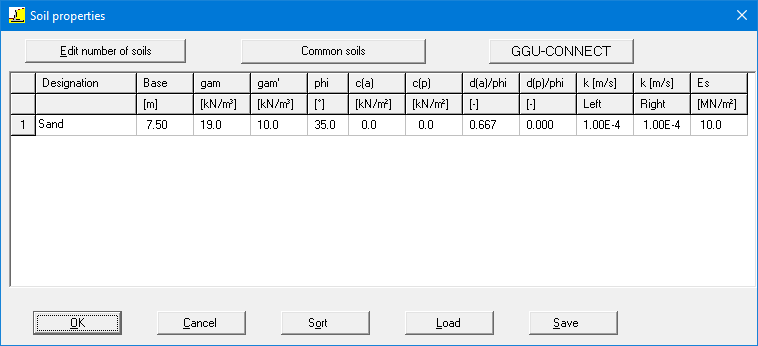
Enter the values given in the above dialog box. You can enter differing cohesion and friction angles for the active (a) and the passive sides (p).