
Using this menu item well coordinates and radii can be entered via an editor. The following dialog box appears, e.g.:
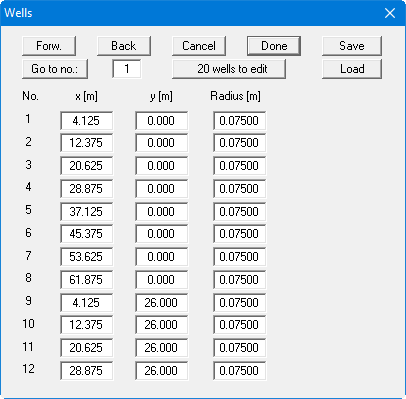
If necessary, edit the number of wells with the "x wells to edit" button. Then enter the corresponding values into the table. With the "Forw." and "Back" buttons you can move through the table, if more than 12 wells are present.