
The problem is symmetrical, so we need only consider one half. We will choose the right half. The coordinate system should be selected such that the foundation centre is at x = 0.0 m. The foundation base has a y-value of 10.0 m.
The system can be described with a few distinctive points, so input can be carried out easily using a table. Select the menu item "FEM mesh/Change (nodes)" and then the "Via a table" button. Change the number of nodes to 7 and enter the values from the following dialog box.
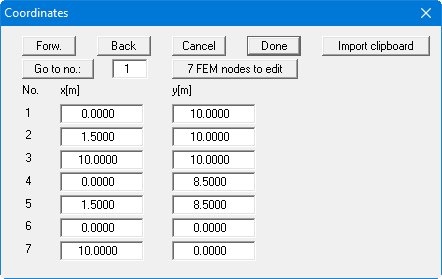
In principle, 5 points would have been sufficient to describe the system:
-
four corner points
-
right foundation edge
However, two additional points have been added in order to get a slightly tighter mesh in the foundation area.
Select the menu item "FEM mesh/Automatic". The program connects the seven points to a FEM mesh. Then go to the menu item "Page size + margins/Auto-resize" or click the [F9] function key to get a screen-filling system presentation.
Select the menu item "FEM mesh/(Refine) All" and press button "3".
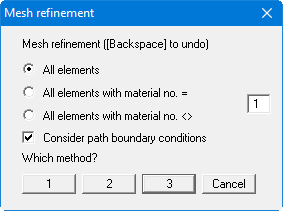
Repeat the mesh refinement. You should now have a system with 96 triangles and 61 nodes. The current numbers are displayed in "System/Info".
Now select the menu item "FEM mesh/Optimise".
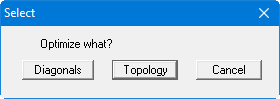
Press the "Topology" button to get a numerically favourable mesh.