
This menu item is only active in the pad footing analysis mode! Alternatively, footing optimisation can also be started by pressing [F6].
If "Rectangular footing" is selected, the following dialog box opens:
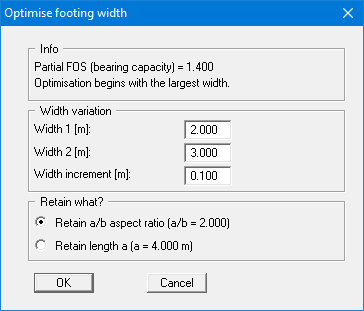
After confirming with "OK" optimisation is carried out, at the end of which you may opt to use the optimum width. A new computation is performed immediately after confirmation. If you choose not to accept the optimum width the menu item is closed.
If "Circular/annular footing" is selected, optimisation is performed for the outer circle diameter. The inner diameter is retained.