
Go to the "Editor 1" menu and select "Soils". Click the "Edit no. of soils" button and enter 3 as new number of soils. Enter the values shown in the following dialog box:
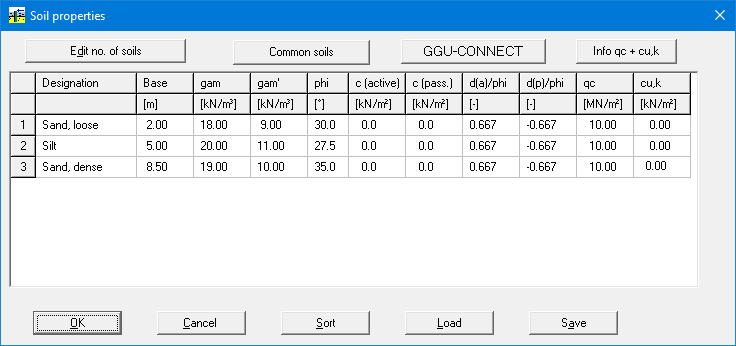
Go to the "Editor 1" menu and select "Soils". Click the "Edit no. of soils" button and enter 3 as new number of soils. Enter the values shown in the following dialog box: