
From the "Editor 1" menu select "Berms (active side)". Click "0 berms to edit" and enter 1 as the new number of berms.
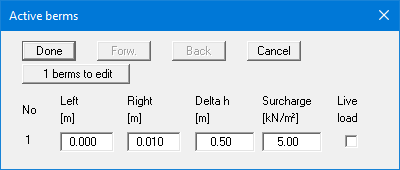
Enter the values shown above and click "Done".
From the "Editor 1" menu select "Berms (active side)". Click "0 berms to edit" and enter 1 as the new number of berms.
Enter the values shown above and click "Done".