
Go to "Editor 1" menu and select "Soils".
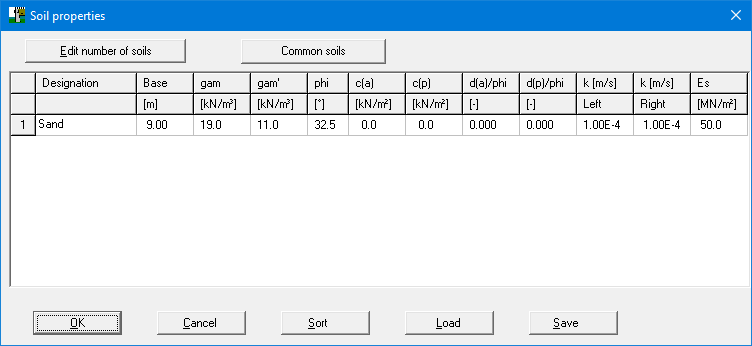
Enter the values given in the above dialog box. You can enter differing cohesion and angles of friction for the active (a) and the passive sides (p).
Go to "Editor 1" menu and select "Soils".
Enter the values given in the above dialog box. You can enter differing cohesion and angles of friction for the active (a) and the passive sides (p).