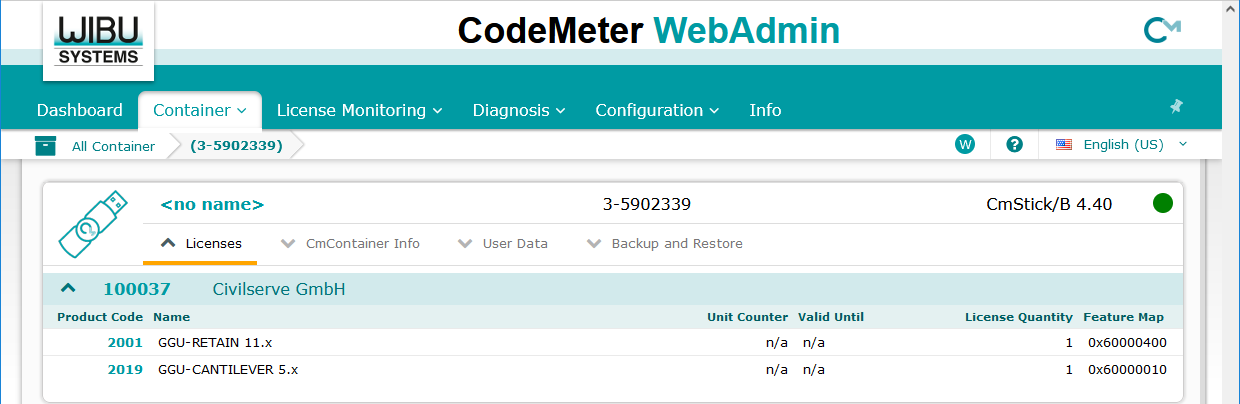
When you start CodeMeter WebAdmin, the "Container" menu with an overview of the GGU licenses entered is displayed first.
If you have connected several CmContainers, first select the required CmContainer to display the license overview.
You can get more details about the unlocked program licenses in the "License Monitoring/All Licenses" menu.
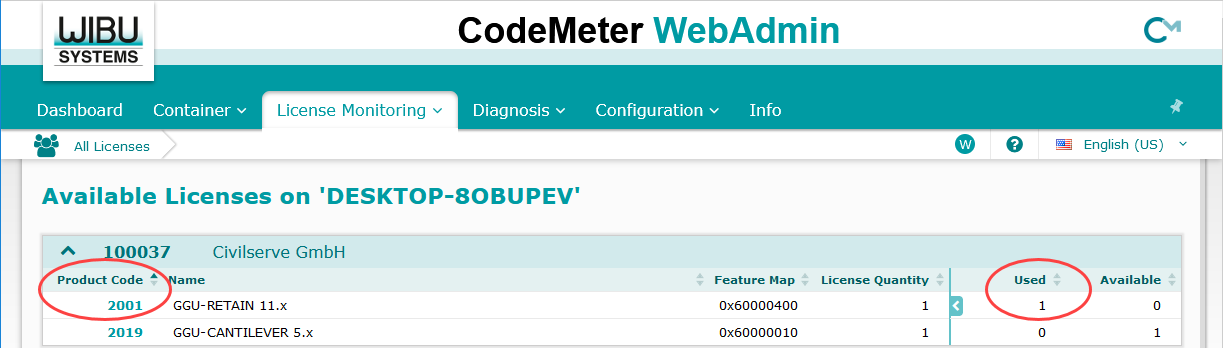
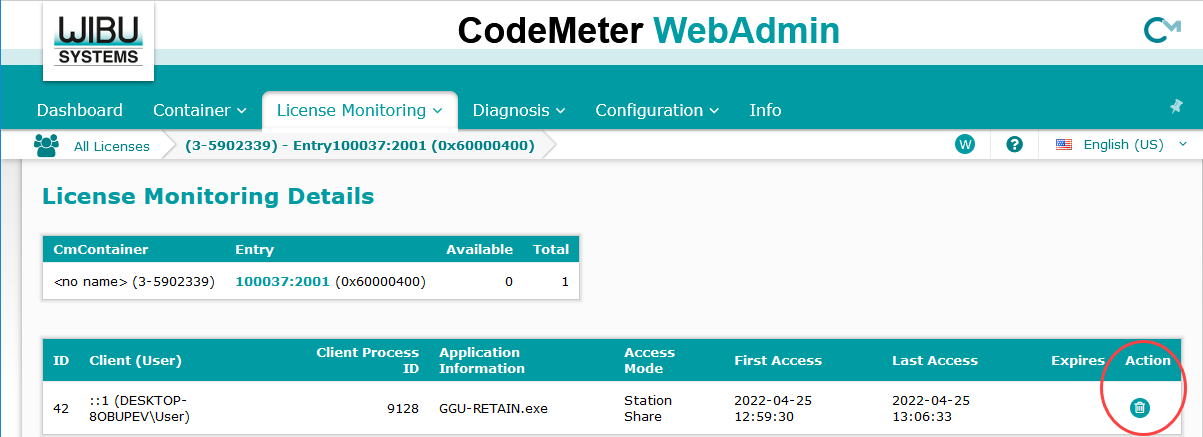
In the list you can also see whether licenses are occupied by a user (program user). If you click on the product code of an occupied license, you will see more details about the user and the open session. Via the recycle bin icon on the far right, you can delete the user and thus release the license for other users again.