
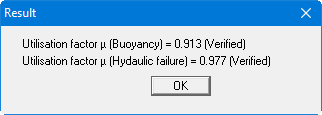
With this menu item you can begin calculating the system. First, a plausibility check of the input data will be carried out. If necessary, you will see an error message, with an appropriate note on corrections. Then a dialog box with the analysis results appears, shown below for a 'classical' analysis:
When using the Aulbach/Ziegler method you will see the following result box, for example:
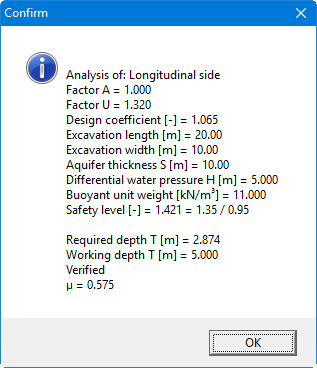
The resulting utilisation factor µ is given by division of required T/working T.