
You can assign diffuse sources to certain elements, e.g. for taking precipitation events in a given area into consideration. After defining the area by clicking 4 points anti-clockwise to form a polygon, you will see the following dialog box:
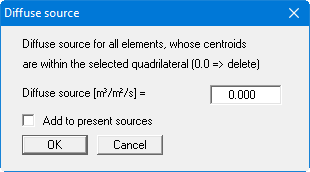
If you activate the "Add to present sources" check box, the value entered will be added to any diffuse sources already present. If negative entries are made the diffuse source is reduced correspondingly. Existing diffuse sources can be deleted by entering a value 0.