
In analogy to hatching using lines, areas of the drawing can be filled by text (also see menu item "Special/Random hatching"). The text is distributed randomly in the defined area (polygon course). The default settings for random hatching are made in the dialog box for this menu item:
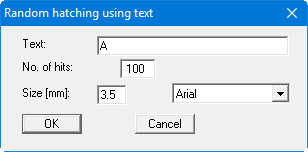
Enter the text and the number of recurrences (hits). Also specify the text font size. The currently active font is used, as shown by the tick in front of the font name in the "Fonts" menu.