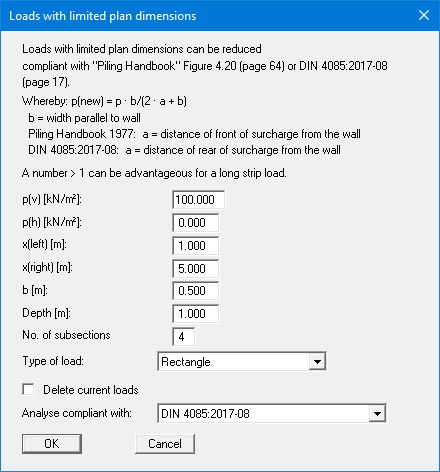
Using this menu item you define area loads and loads with limited plan dimensions.
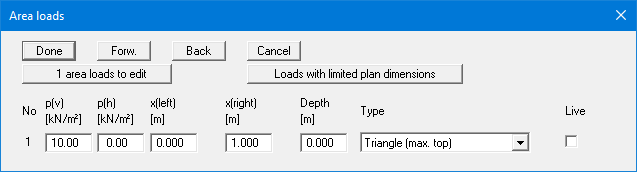
The "x area load(s) to edit" button allows you to determine the number of area loads to be considered. Subsequently you can enter the sizes "p(v)" (= vertical) and "p(h)" (= horizontal), the ordinates and the "Depth" of the area loads. You must also enter the "Type" (wall pressure shape) of the resultant horizontal forces on the wall (see "Theoretical principles").
Use the "Loads with limited plan dimensions" button, to define such loads :