
You can insert or draw your objects on a defined x and y array. Click the 
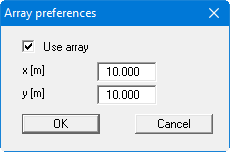
You do not define the origin of the array with the first mouse click. The array spacing is always relative to the system origin x/y = 0/0. That is, the drawing object is always positioned at a point corresponding to a multiple of the x/y value given in the dialog box. For the example above that is x = 10, 20, 30, etc.