GGU-RETAIN: "Type of earth pressure" menu item
In this dialog box you define the type of earth pressure on which the analysis is to be based.
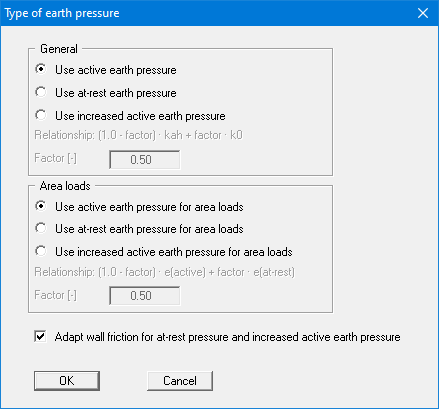
The options for area loads can be specified separately.
From version 13.17, the "Kaqh as height-weighted mean of the layer coefficients" check box in the "Area loads" section determines how the earth pressure coefficient Kaqh for earth pressure from area loads is calculated. By default (check box cleared), Kaqh is calculated from the angles averaged over the load spread area. If the check box is activated, Kaqh is calculated for each soil layer along the rear spread line and averaged, weighted by the height share of each layer. This makes a difference if layers with different friction angles lie within the load spread area; for uniform soil both methods give the same value. The method used and Kaqh for each area load are output in the report.
The lower "Adopt wall friction …" check box is the default setting. This setting is only required for analysis of vertical capacity.