
Using this menu item it is possible to allocate displacement boundary conditions or action boundary conditions to individual FEM nodes and to modify or delete existing boundary conditions.
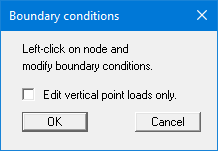
If you want to set different boundary conditions at the same time, leave the "Edit vertical point loads only." check box deactivated. You will then see the following dialog box.
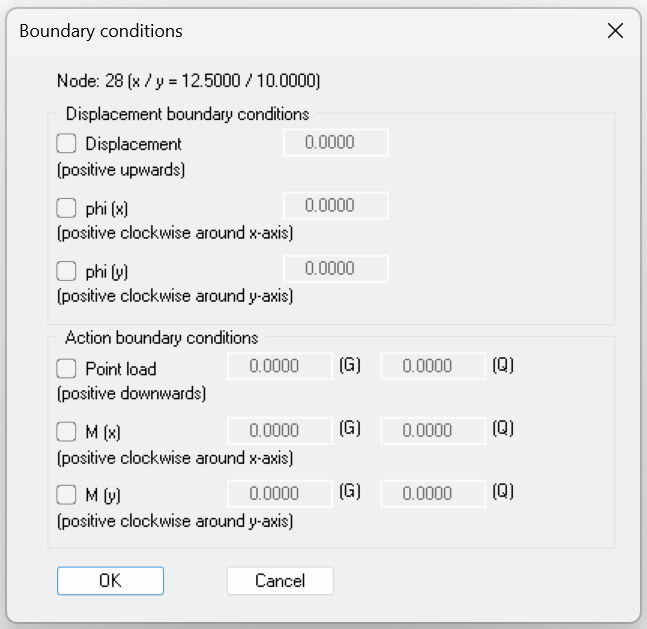
Activate the check box in front of the desired boundary condition and enter the corresponding value. For a displacement boundary condition, you can specify a displacement or a rotation in x- or y-direction. To delete a boundary condition, deactivate the corresponding check box.
The point loads are defined within the FEM system in analogy to the displacement boundary conditions. The action boundary conditions can be defined as point load and moment M (x) and moment M (y). Separate input fields for (G) and (Q) are shown for point loads and moments. This allows the differentiation between permanent and changeable surcharges without a separate check box.
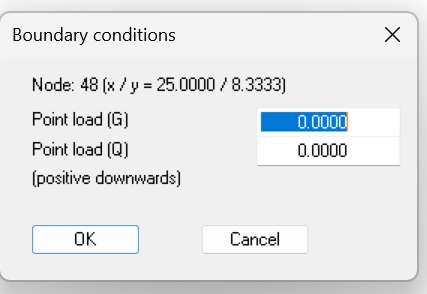
If the "Edit vertical point loads only" check box is activated, you will see the following input box, with which you can set a vertical point load for the clicked node somewhat more quickly.
Note on free-earth support:
The case of a free-earth support is automatically considered by the finite-element-method. All system boundaries or partial system boundaries possessing no action or displacement boundary conditions automatically have a free-earth support.