
Three menu items are available for mesh refinement. After selecting this first menu item the following dialog box opens:
For refinement of the pwp mesh, three differing refinement procedures are available:
-
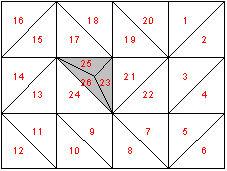
Method 1:
In the centroid of the selected triangle an additional node is created.
-
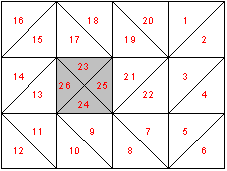
Method 2:
The selected triangular element and the neighbouring element are halved.
-
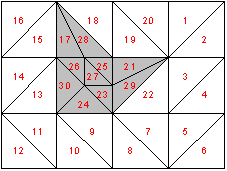
Method 3:
A new triangular element will be inserted at the median of the clicked triangular element. The neighbouring triangular elements will be halved.
When refining the mesh, new nodes are assigned potential, which result from the values of the neighbouring nodes.