GGU-FIELDCAPACITY: Project and company
The data from these two dialogs forms the header of the evaluation sheet. Both dialogs work on a copy: changes only apply after OK, Cancel discards them.
Project
Menu Edit / Project (Ctrl+Shift+P).
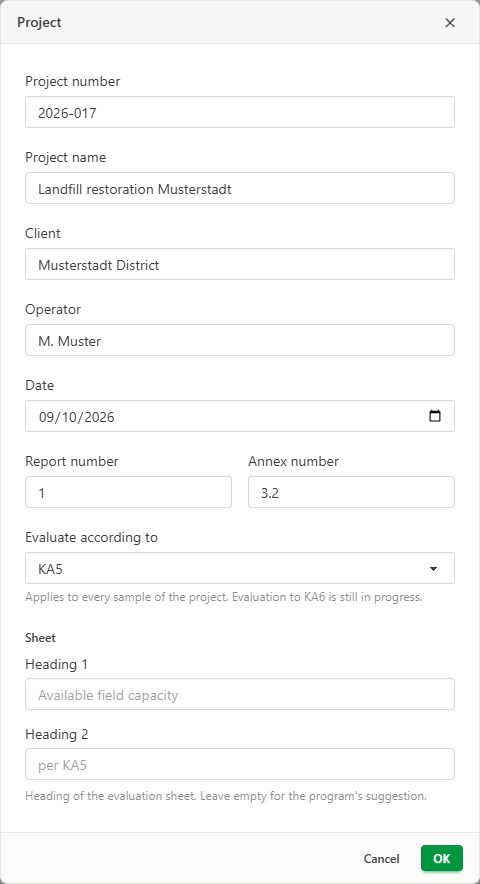
| Field | On the sheet |
|---|---|
| Project number | Project no. |
| Project name | Project |
| Client | Client |
| Operator | Operator |
| Date | Date; today's date for a new project |
| Report number | Report no. |
| Annex number | Annex no. |
The program also suggests the project number and project name as the file name when you save the project for the first time or export it as a PDF.
If the project comes from GGU-CONNECT, the data taken over from there is protected by a lock (see Exchanging data with GGU-CONNECT).
Evaluate according to sets the method for all samples of the project. KA5 is currently available. Evaluation according to KA6 is in preparation.
In the Sheet section you can change the two headings of the sheet. If Heading 1 and Heading 2 are left empty, the program uses "Available field capacity" and "per KA5".
Company
Menu Edit / Company (Ctrl+Shift+F).
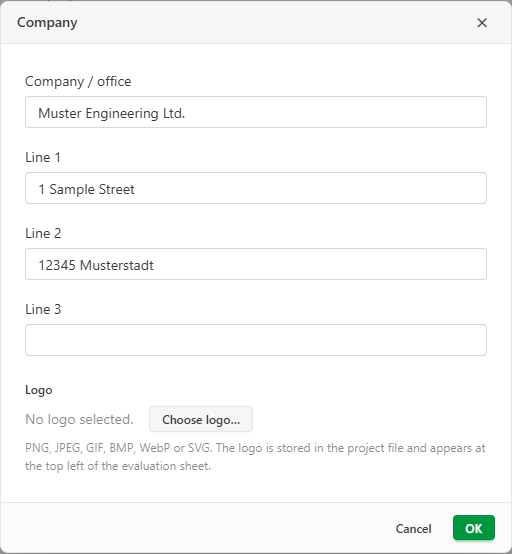
Under Company / office and the fields Line 1 to Line 3 you enter the sender of the sheet, for example your office with its address, or the laboratory that carried out the tests. This data appears at the top left of the evaluation sheet header.
Choose logo… adds a company logo. PNG, JPEG, GIF, BMP, WebP and SVG are accepted, up to 512 KB. The logo appears at the top left of the sheet and is stored in the project file, which is why its size is limited. Replace logo… and Remove logo change it later.
Company data and logo belong to the project. For a new project, enter them again, or open an existing project and save it under a new name with File / Save as.