GGU-FIELDCAPACITY: Keyboard shortcuts
The program itself shows the current list under Help / Keyboard shortcuts.
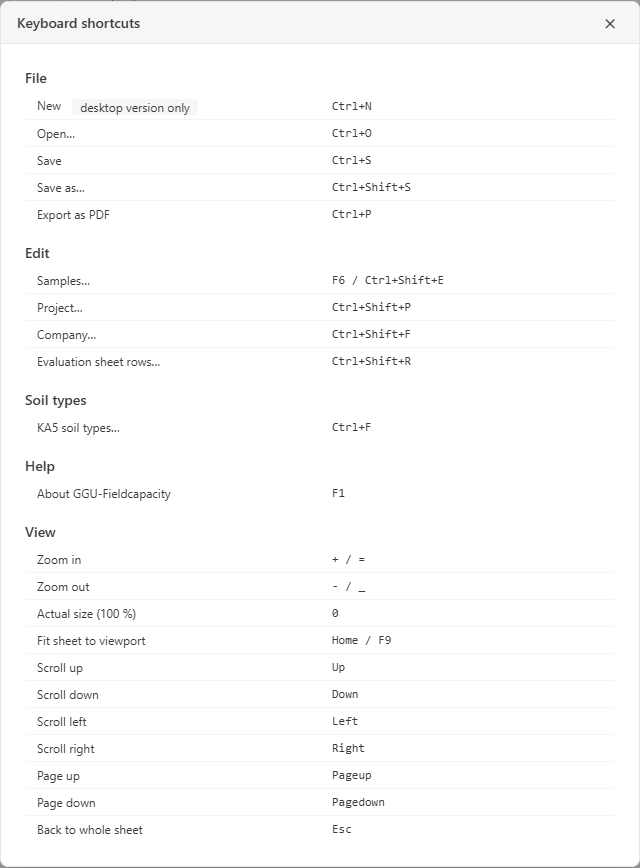
| Command | Key |
|---|---|
| File / New | Ctrl+N |
| File / Open | Ctrl+O |
| File / Save | Ctrl+S |
| File / Save as | Ctrl+Shift+S |
| File / Export as PDF | Ctrl+P |
| Edit / Samples | F6 or Ctrl+Shift+E |
| Edit / Project | Ctrl+Shift+P |
| Edit / Company | Ctrl+Shift+F |
| Edit / Evaluation sheet rows | Ctrl+Shift+R |
| Soil types / KA5 soil types | Ctrl+F |
| Help / About GGU-Fieldcapacity | F1 |
| View / Zoom in | + or = |
| View / Zoom out | − or _ |
| View / Actual size (100 %) | 0 |
| View / Fit sheet | Home or F9 |
| Move the sheet | Arrow keys |
| One page up or down | Page Up, Page Down |
| Back to the full view | Esc |
The view keys work while the mouse pointer is over the drawing area. Page Up, Page Down and Esc are only available with the mouse wheel setting "As in the GGU programs" (see Program settings). You can also open the menus with Alt and the underlined letter, for example Alt+F for File.