
The system deformations can be represented in sub-steps.
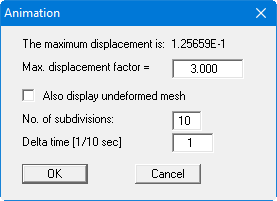
Similar to the previous menu item, the system deformations can be multiplied by a factor and displayed together with the undeformed mesh for emphasis.
However, not only the final state is visualised, but in "Number of subdivisions" and "Delta time [1/10 sec]" you also specify the sub steps with which to display the deformation. This creates an animation-like effect. A running animation can be cancelled by clicking the left mouse button.